TECNO MEGABOOK S14 + TECNO Slim Review: Perhaps the Ultimate Answer to Mobile Productivity
At some point, carrying a laptop everywhere has become the new normal. With so much work moving online, having a laptop on hand feels necessary just to stay prepared.To lighten the load, most people—myself included—opt for an ultraportable laptop.
Since the main goal is everyday office work and getting tasks done, the actual performance demands aren’t too high. Because of that, most thin-and-light laptops feel pretty similar in daily use, with only minor differences in design.
That stereotype didn’t hold up once I started using the TECNO MEGABOOK S14 laptop paired with the TECNO Slim phone. This incredibly sleek duo made me realize what mobile productivity truly feel like.

First, the TECNO MEGABOOK S14. The moment I lifted it out of the box, I was genuinely surprised—it’s unbelievably light. Officially, it weighs around 899g; on our scale, it measured 885g. Considering possible scale variance, that’s perfectly within expectation.
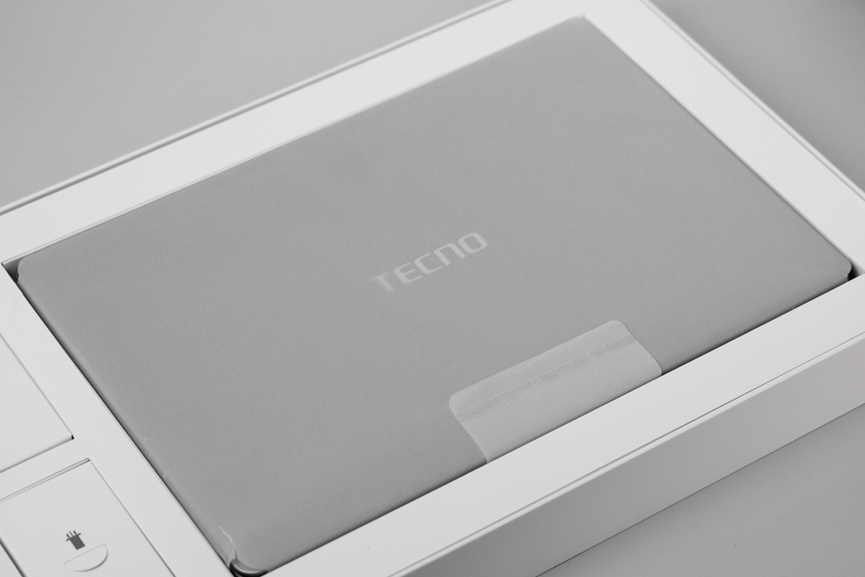
What does “899g” actually mean?
A can of soda weighs about 345g; a thick college textbook typically ranges from 1kg to 1.3kg. That means the MEGABOOK S14 weighs less than three cans of soda or one heavy textbook.The benchmark for thin-and-light laptops, the MacBook Air, starts at about 1220g for its lightest 13‑inch model. Most ultraportables hover around 1350g. Compared to those, the MEGABOOK S14 is a full 300–400g lighter, making it one of the lightest 14‑inch laptops available. Lifting it with one hand feels easier than picking up a textbook—so you can probably understand why I was so impressed.
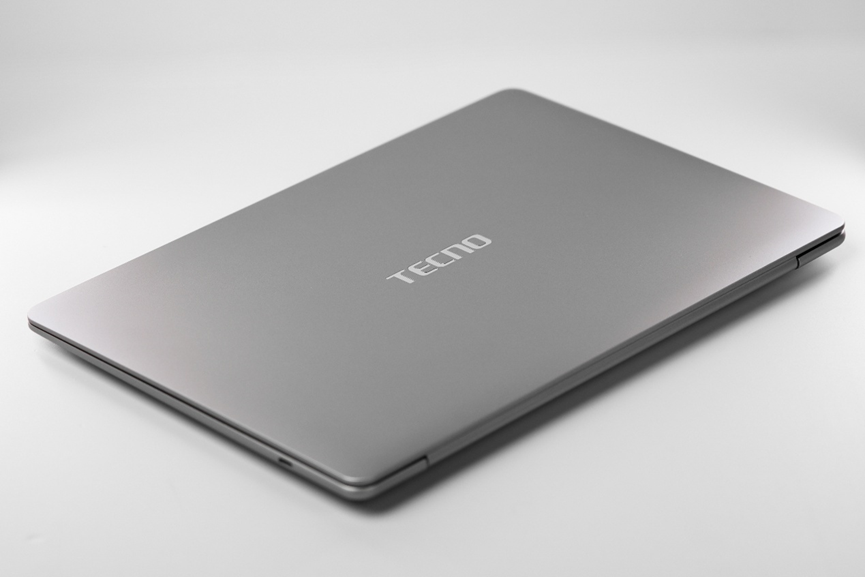
As for the design, the MEGABOOK S14 keeps things minimal. Its light magnesium‑alloy body features a clean silver‑gray lid with only the TECNO logo—no extra fuss, just a smooth, refined finish.
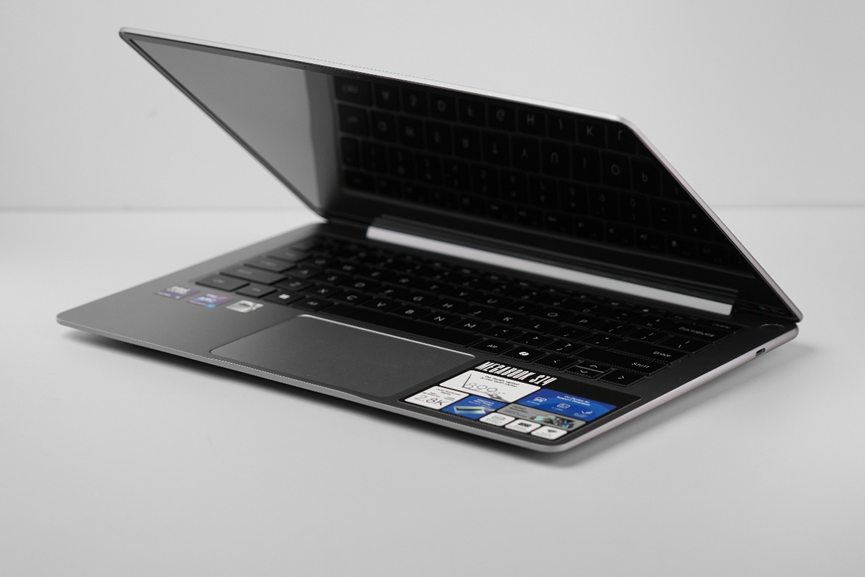
The hinge feels relatively smooth, allowing easy one‑handed opening. That said, the extremely light body does tilt up slightly when you lift the lid—a small trade‑off for being this portable.
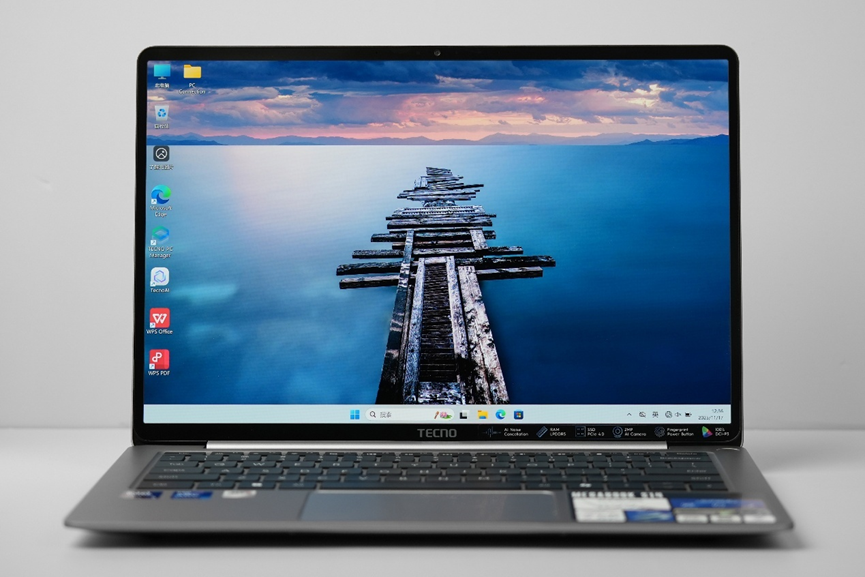
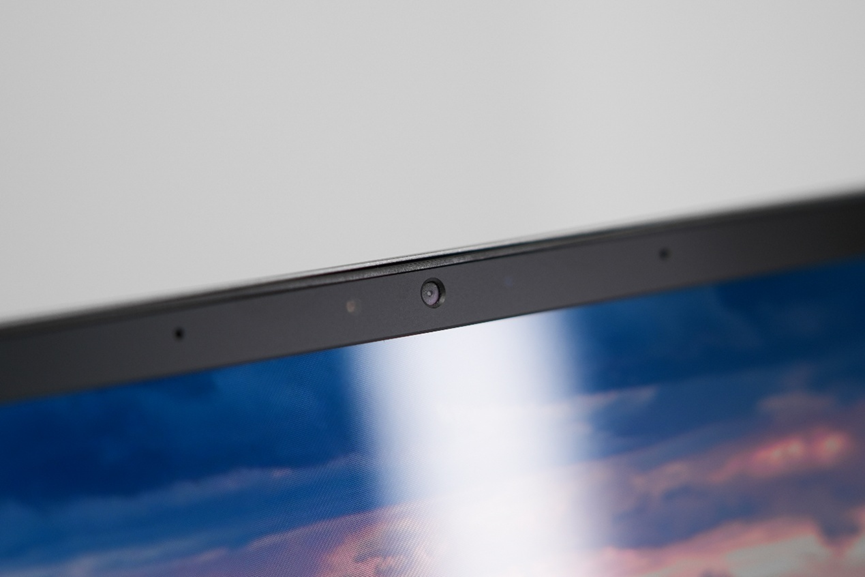
Our review unit features a Samsung OLED display with a 2880 × 1800 resolution and up to 120Hz refresh rate. EDID data indicates it covers 100% DCI-P3 and 100% sRGB color gamuts, suitable for light video editing and design work. Bezels are slim, and the webcam with microphone array sits above the screen.
The keyboard has a chiclet‑style layout with single‑color backlighting. Keys feel crisp with comfortable travel, and the layout is standard—though the arrow and function keys are half‑height. The touchpad offers firm clicks and works well. The power button sits separately in the top‑right corner, colored to match the chassis. This not only avoids accidental presses but also makes it easy to locate.
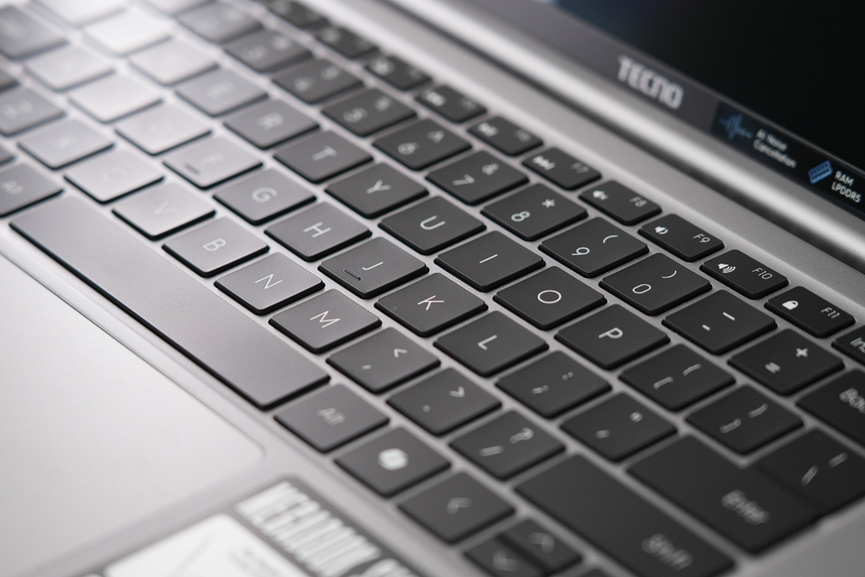
Where the MEGABOOK S14 feels a bit limited is in ports: it only has three USB‑C connectors. That means you’ll need Bluetooth peripherals or a dock for most accessories.Interestingly, many new AI‑focused PCs share this minimalist approach to ports—perhaps a sign of where thin‑and‑lights are heading.
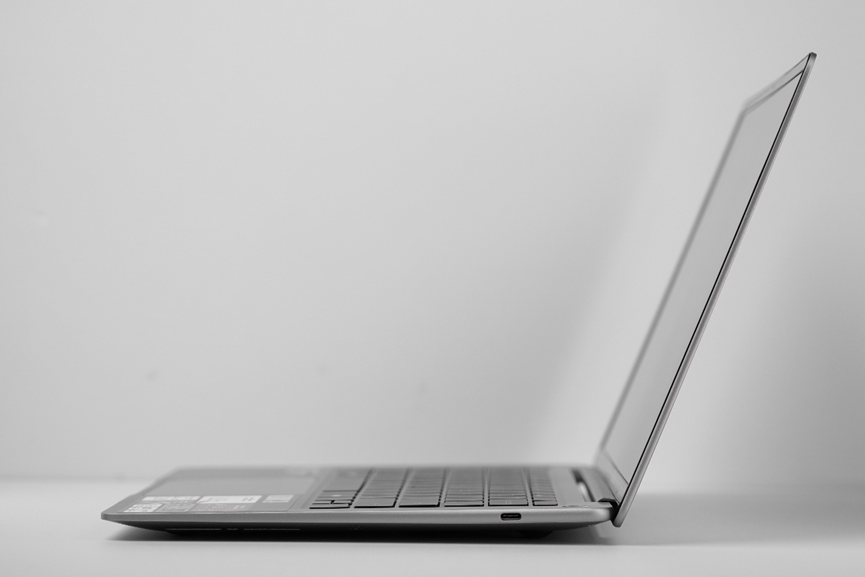
The MEGABOOK S14 embraces a “less but better” philosophy. Its design feels almost pared‑down to the essentials—a simple, restrained style well‑suited for personal or business use.
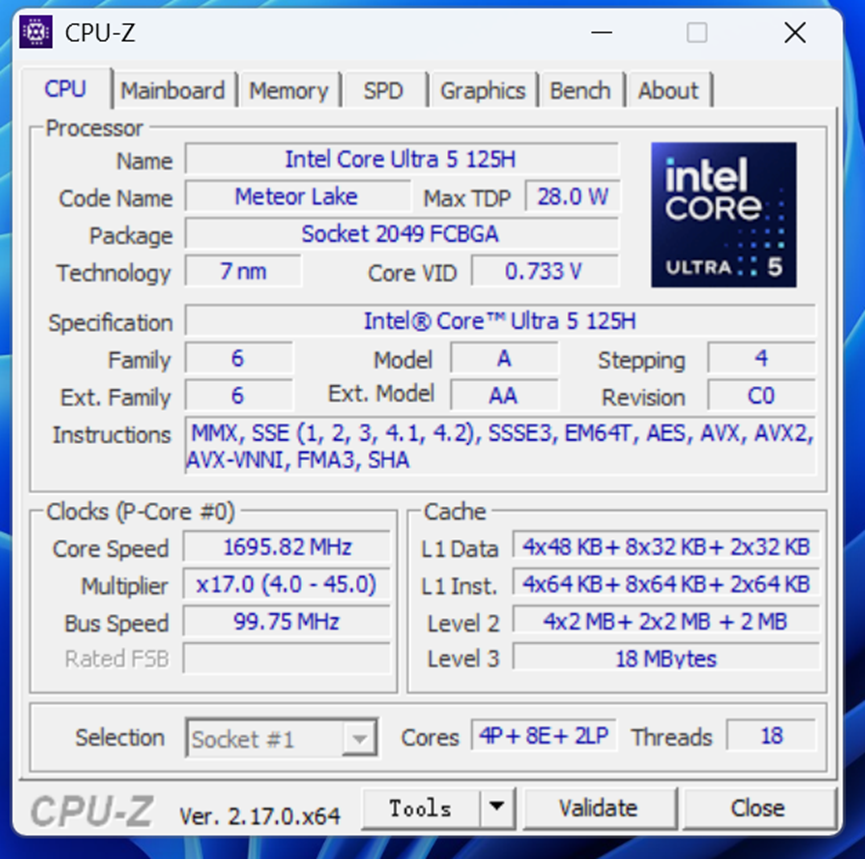
The unit is powered by an Intel Ultra 5 125H, built on the Meteor Lake architecture using Intel 4 process. It features 14 cores (4 Performance, 8 Efficient, 2 Low‑Power) and 18 threads, boosting up to 4.5GHz. Integrated graphics come from Intel Arc with 7 Xe‑cores running at up to 2.2GHz, supporting XeSS and AV1 codecs.
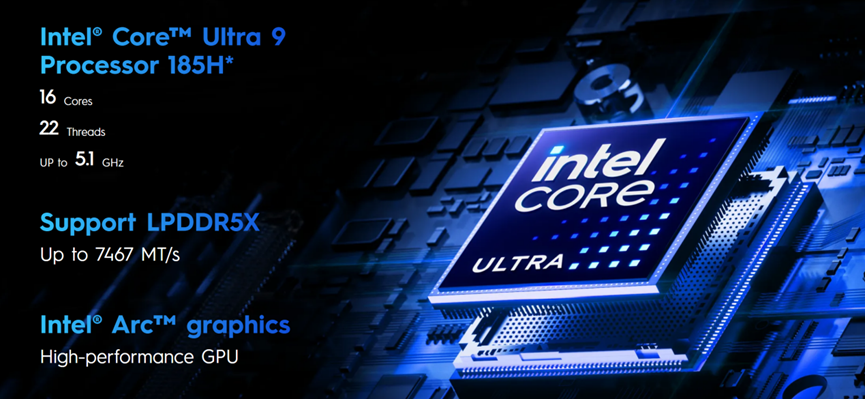
A higher‑end configuration pairs an Ultra 9 185H with 16 cores (6P+8E+2LP) and 22 threads, boosting to 5.1GHz, plus Intel Arc graphics with 8 Xe‑cores up to 2.35GHz.
My Ultra 5 125H model includes 16GB of LPDDR5x RAM running at 7467MT/s (as shown in Task Manager).
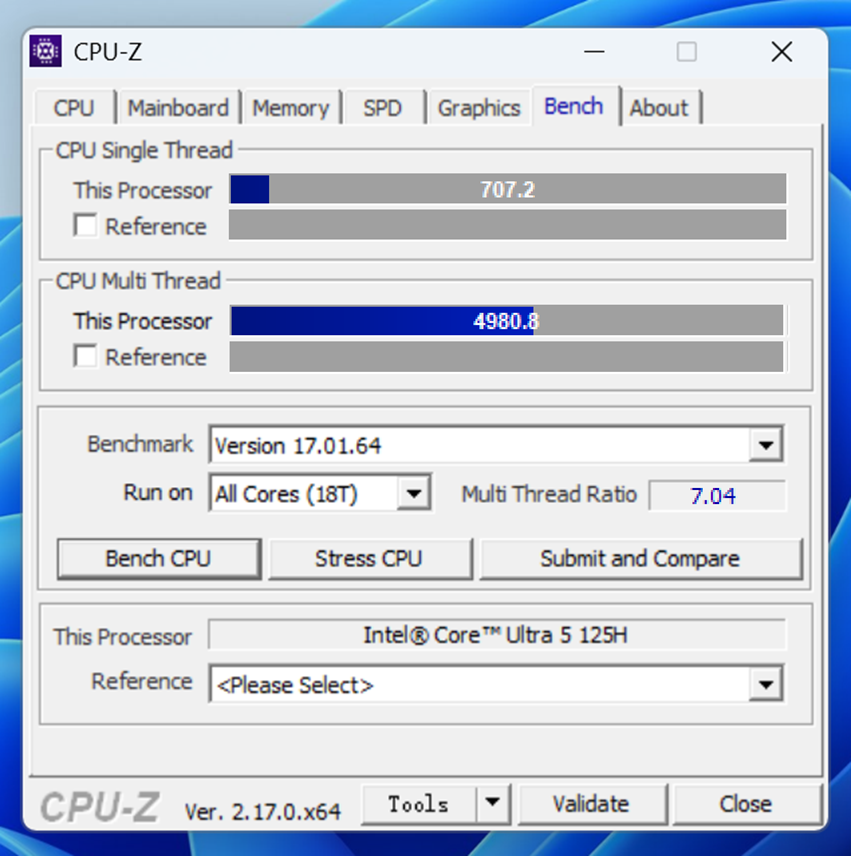
In CPU‑Z, the MEGABOOK S14 scored 707.2 single‑core and 4980.8 multi‑core. That means it handles single‑threaded tasks like light office work, web browsing, and quick responses well, while also delivering solid parallel performance for multitasking—placing it in the mainstream mid‑to‑high tier for mobile platforms.
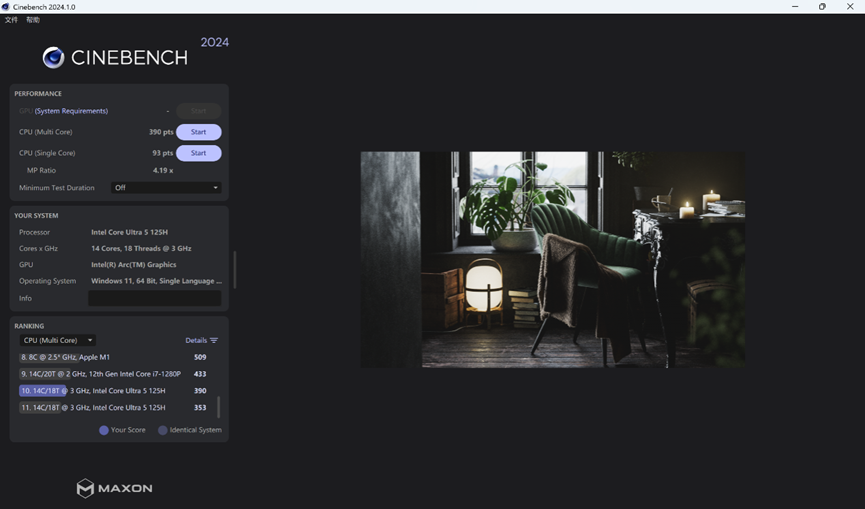
CineBench 2024 results came in at 93pts (single core) and 390pts (multi core). While that’s decent, it’s slightly below typical Ultra 5 125H scores, especially in multi core. Given the S14’s ultra thin form factor and likely power limits, the difference is understandable.
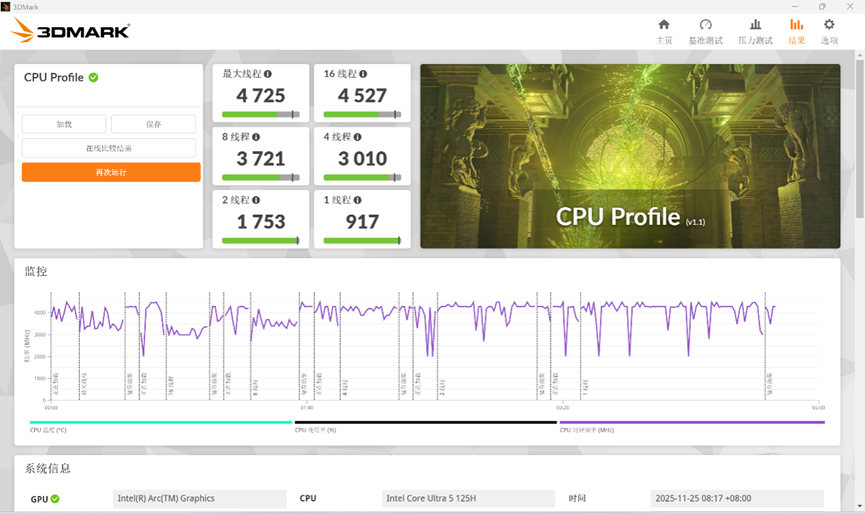
3DMark CPU Profile shows 917 points in single‑thread and 4725 in max threads. Strong single‑thread performance ensures smooth daily responsiveness and decent gaming, while multi‑thread capability is mid‑range—enough for multitasking and light creative work, though extended heavy loads like professional rendering may push its limits.
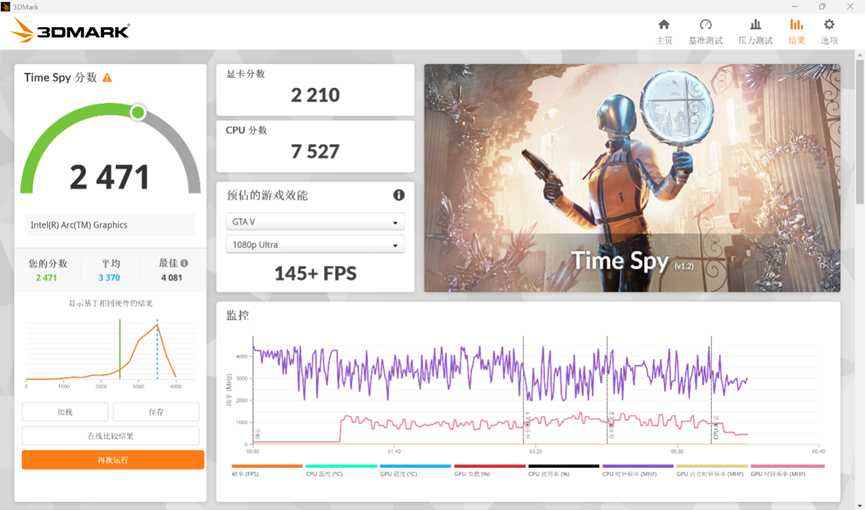
In 3DMark Time Spy, the integrated GPU scored 2210 points, with an overall score of 2471.
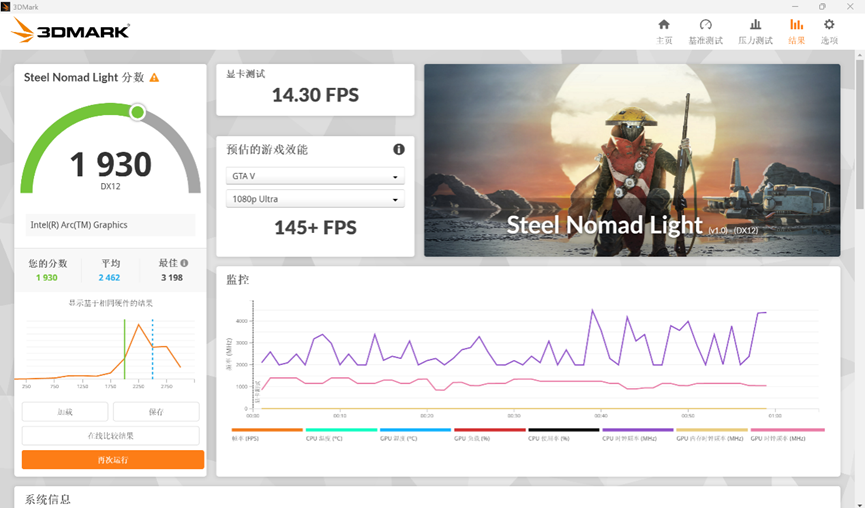
Steel Nomad Light came in at 1930 points—enough for most online games like League of Legends or VALORANT, and single‑player titles like GTA V at 1080p.
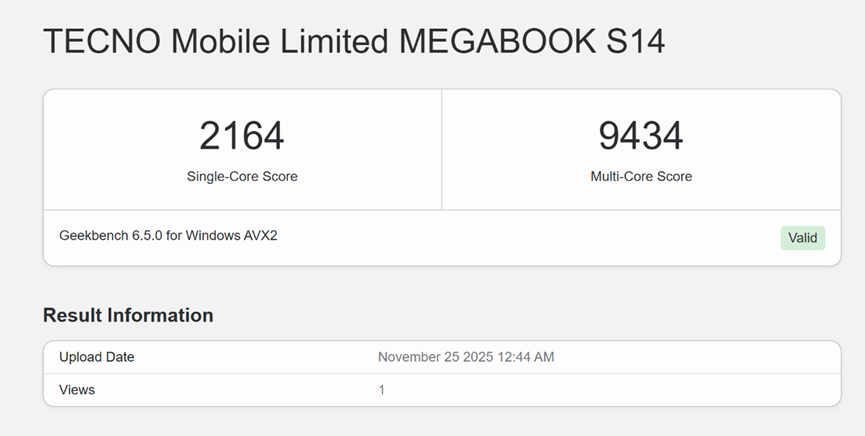
Geekbench 6 delivered 2164 (single‑core) and 9434 (multi‑core), placing it in the upper‑mid‑range of thin‑and‑light processors—capable of handling mainstream productivity and multitasking.
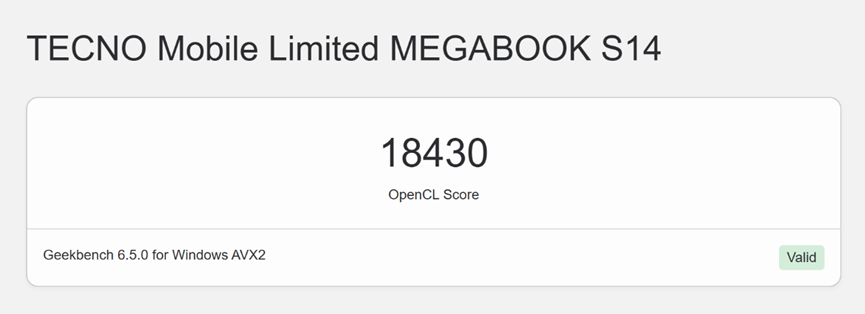
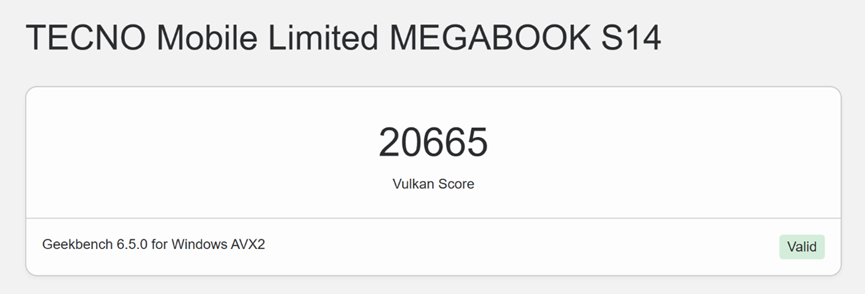
In the same test, the integrated GPU scored 18430 in OpenCL and 20665 in Vulkan—roughly on par with a GTX 960 or GTX 1050 Ti.
PCMark 10, which simulates everyday office use, gave an overall score of 5135. Sub‑scores include 7750 in Essentials, 7260 in Productivity, and 6532 in Digital Content Creation. This confirms the S14 is best suited for Office apps, video calls, and web browsing, with lighter capabilities in photo/video editing.
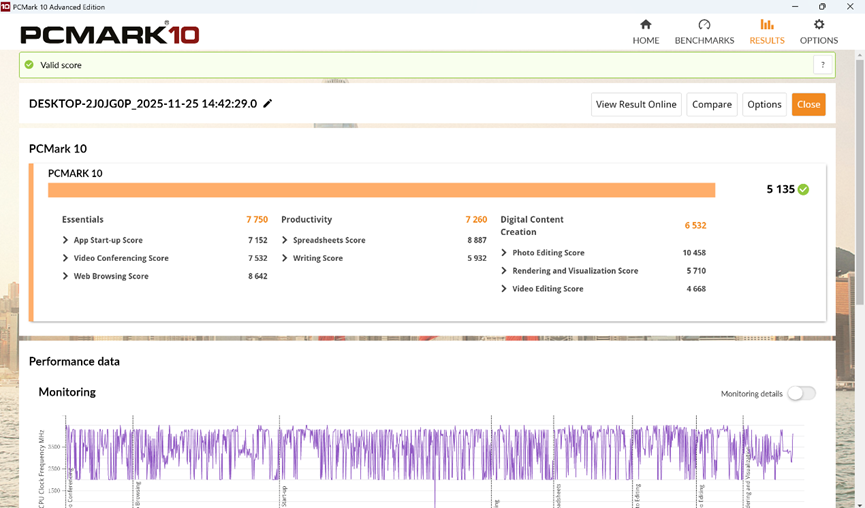
Overall benchmark results show that the Ultra 5 125H gives the MEGABOOK S14 solid theoretical performance for an ultraportable. Among devices equipped with the same chip, we’ve achieved an optimal balance between performance and an exceptionally slim and lightweight experience.
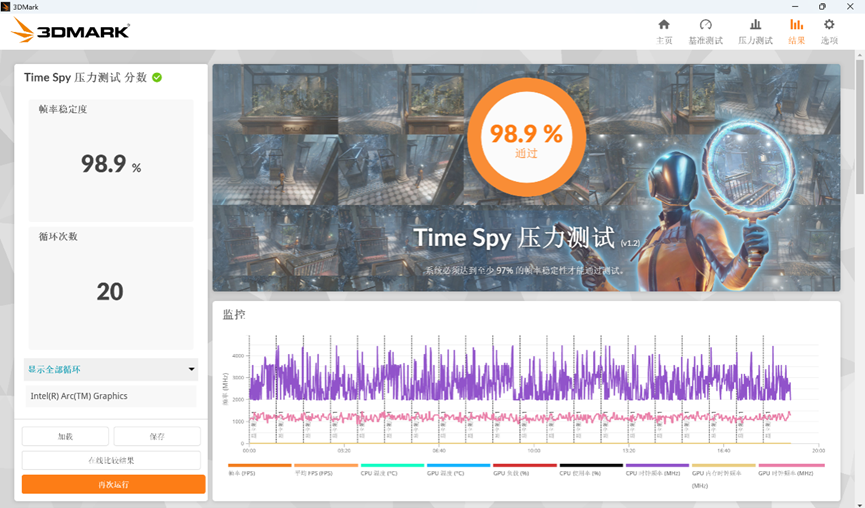
What about sustained performance? We ran the 3DMark Stress Test with the system set to “Best Performance.” After a 20‑minute Time Spy loop, stability reached 98.9%—excellent for a thin‑and‑light, with no noticeable throttling. This points to an aggressively tuned yet stable cooling solution.
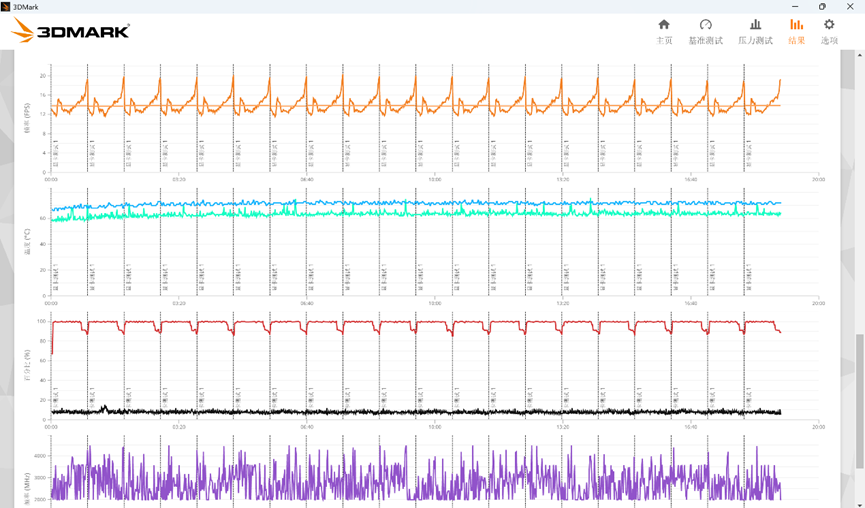
During the stress test, we measured fan noise near the hinge at up to 57 dBA—about the level of a clear conversation or a moderately busy office.
Next, we tested memory and storage.
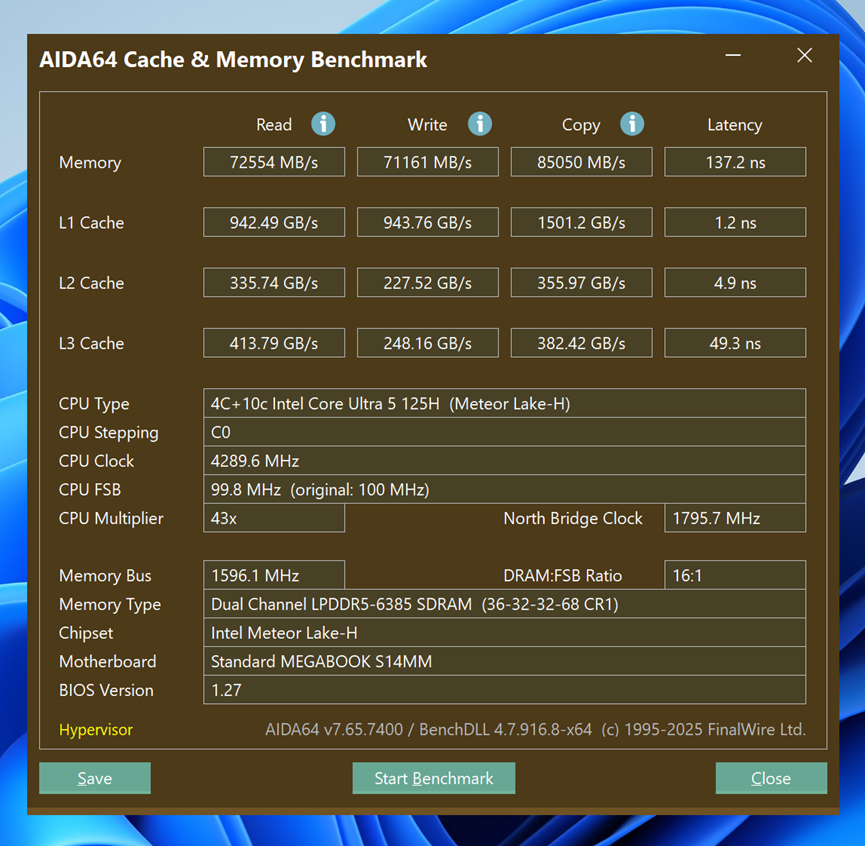
AIDA64 memory benchmarks showed read speeds of 72,554 MB/s, write speeds of 71,161 MB/s, copy speeds of 85,050 MB/s, with latency at 137.2 ns (L3 cache latency 49.3 ns). Bandwidth is strong for LPDDR5, though latency is slightly higher—overall in line with mid‑ to high‑end LPDDR5 performance.
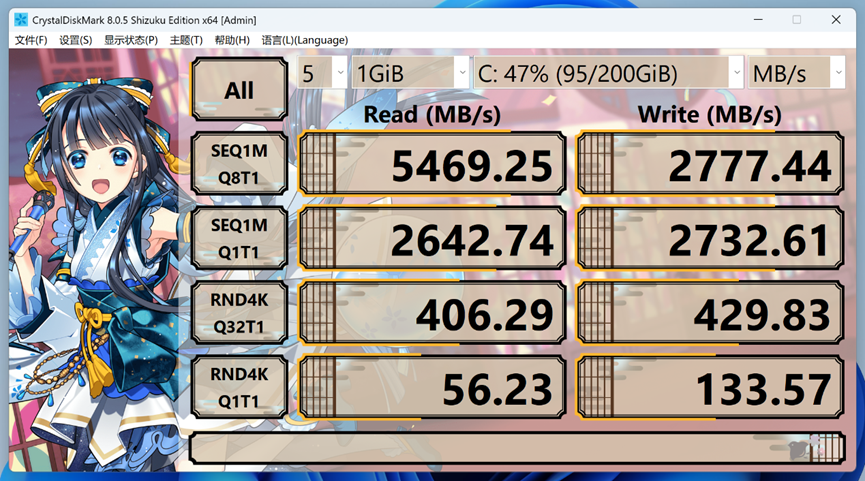
For storage, CrystalDiskMark reported sequential read speeds of 5469.25 MB/s and write speeds of 2777.44 MB/s. Read performance is robust, while writes are modest. Daily tasks and office file operations won’t be impacted, but large file transfers may feel slower.
The Intel Ultra 5 platform is foundational for AI PCs, supporting frameworks like OpenVINO, Windows ML, and DirectML. Its NPU offers 11 TOPS, with total processor AI performance reaching 33 TOPS—enough for local lightweight AI tasks such as local assistants, small models, and everyday AI features.

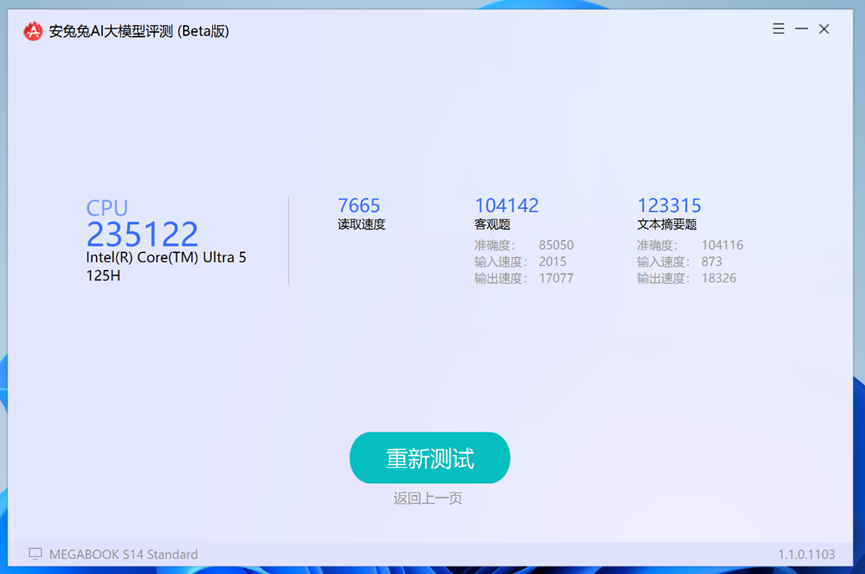
In the AnTuTu AI Benchmark, the MEGABOOK S14 scored 104,142 in objective tasks and 123,315 in text summarization. Its overall LLM score was 235,122, showing solid local large‑language‑model inference capability.
To leverage AI capabilities, TECNO includes the TECNO AI suite with several practical features.
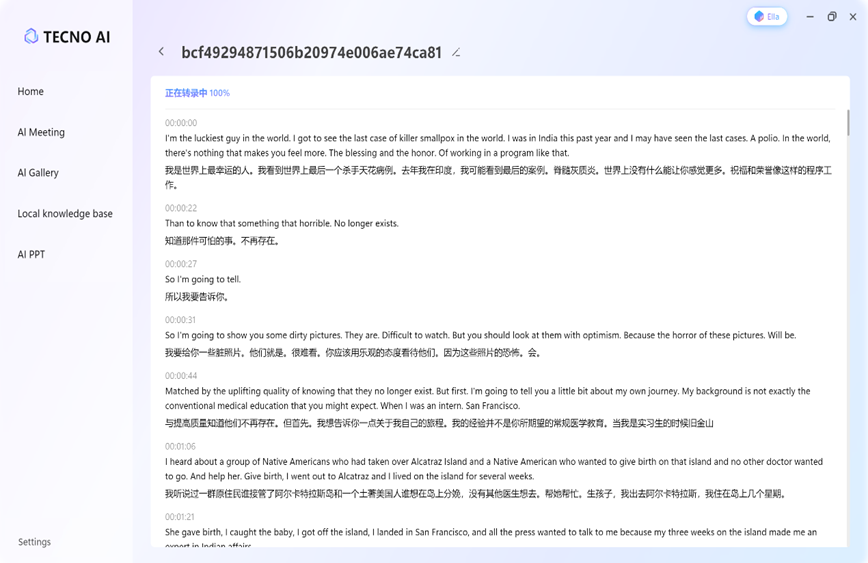
A standout is the AI Meeting Assistant. It captures system audio to record both remote participants and your own voice, providing transcription and translation. After meetings, it can generate summaries and label speakers.
This feature isn’t limited to meetings—users can import audio or video files in various formats for full transcription and further AI processing.
Meeting transcripts and summaries can link with a Knowledge Data Base. You can ask questions in natural language to quickly find information or use DeepSeek for online large-model questioning.
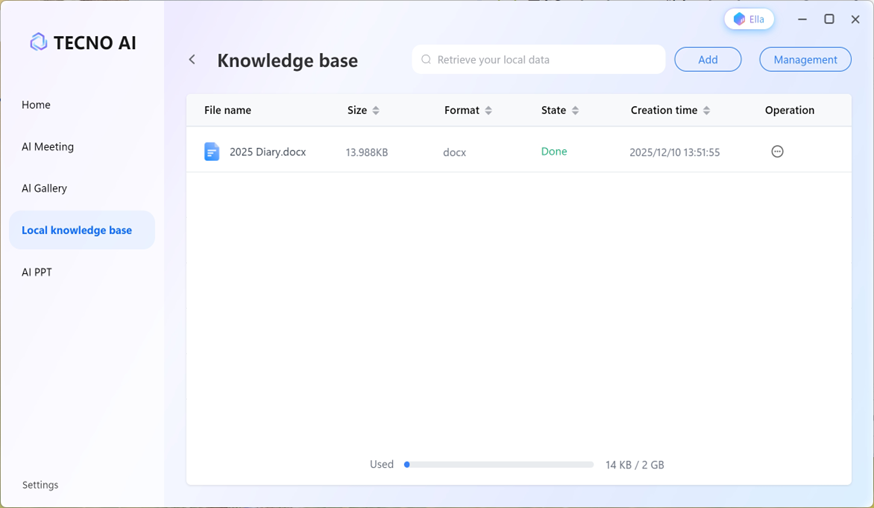
For example, I used TECNO AI’s online LLM to create a fictional 2025 diary and imported it into the Knowledge Data Base.
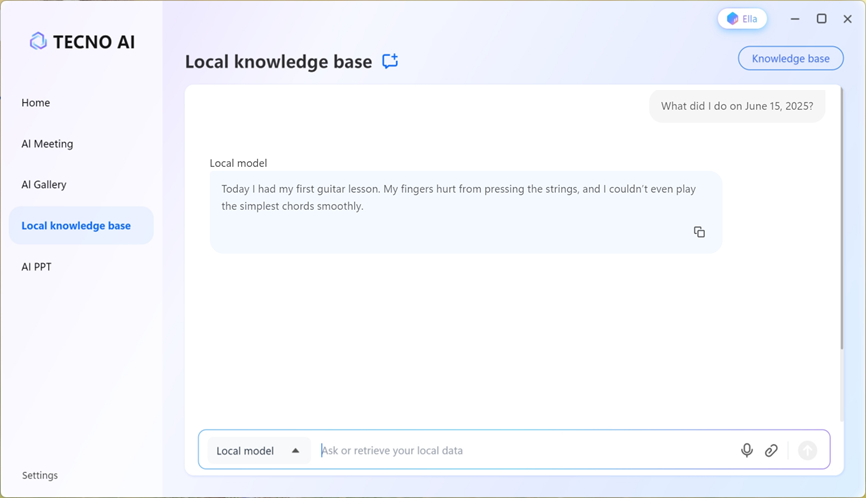
Then, asking “What did I do on June 15, 2025?” prompted the system to search the diary and correctly reply: “Today I had my first guitar lesson. My fingers hurt from pressing the strings, and I couldn’t even play the simplest chords smoothly.”
Another feature, AI Gallery, works similarly. The local AI organizes photos by time, location, scenery, or faces, letting you search your gallery using natural language.
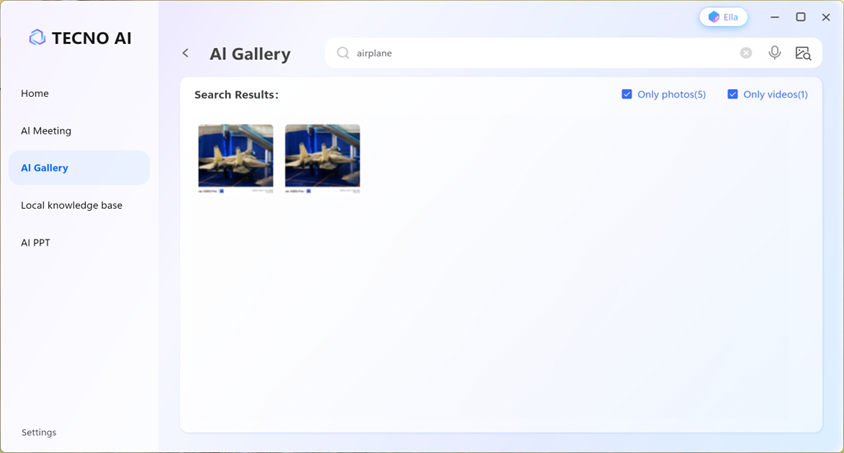
After importing my personal photos, searching for “airplane” brought up shots of fighter jets from a past trip.
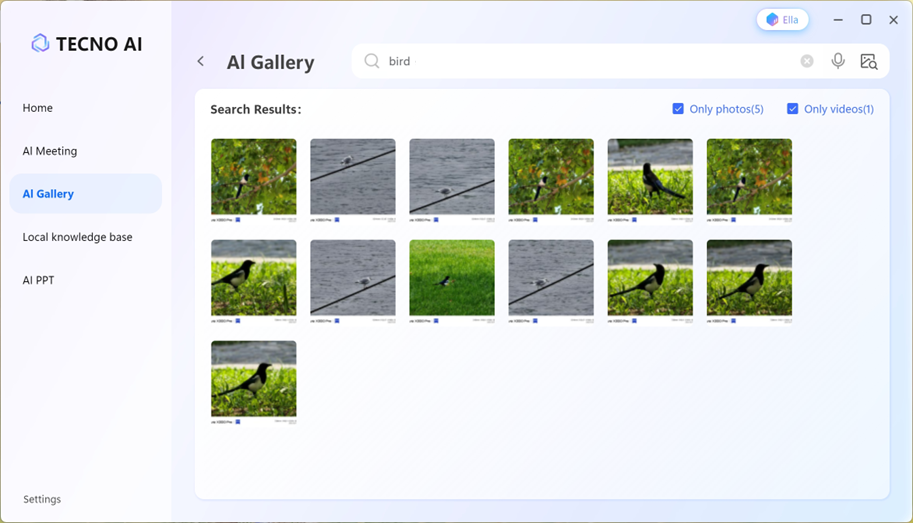
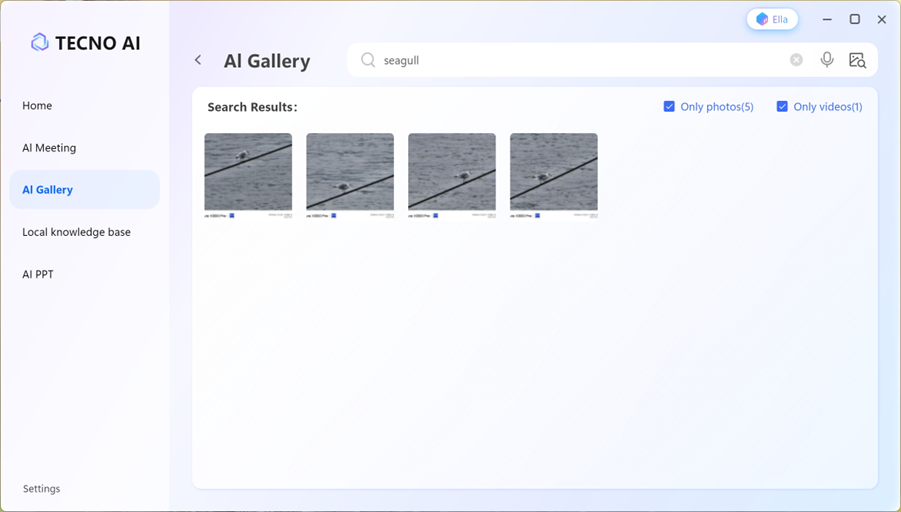
The search is quite precise: querying “seagull” shows only seagull photos, not every bird picture.
Both the Knowledge Data Base and AI Galley run entirely on‑device, ensuring privacy—no data is sent to the cloud.
In contrast, AI PPT operates only via a web interface.
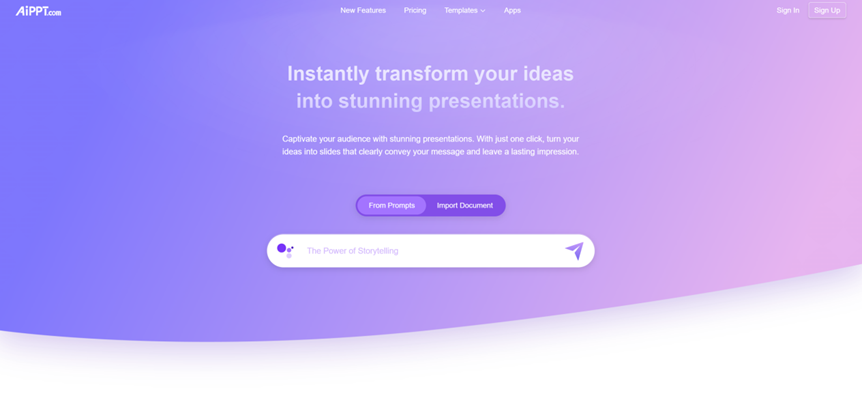
You upload a document, describe the desired presentation in natural language, pick a template, and let the AI generate slides.

For example, I simply asked it to “create a New Year’s travel guide.”
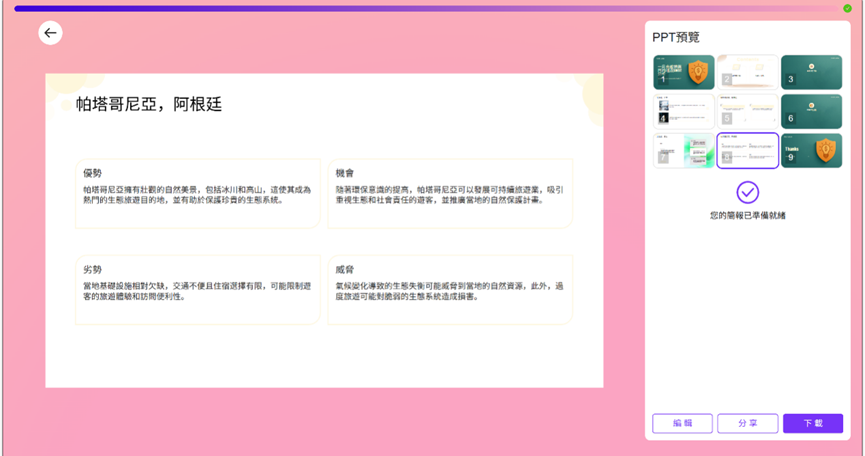
It produced a 9‑slide presentation covering multiple destinations with SWOT analyses for each. While not perfect, the output is fully editable. Like the AI Meeting and Knowledge Data Base, it helps reduce repetitive work and boost efficiency.
Apart from DeepSeek and AI PPT, other features can run locally on MEGABOOK S14, further ensuring data security.
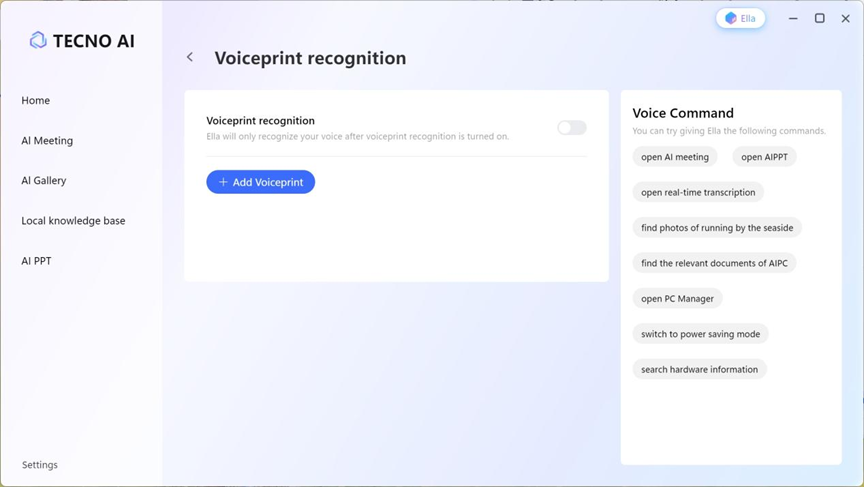
TECNO AI also includes Ella, a voice assistant that uses voice recognition to respond to commands—like enabling battery‑saver mode or finding documents and photos. Overall, the AI features on the MEGABOOK S14 feel mature and genuinely useful.
Alongside the laptop, we received the TECNO Slim phone. If the MEGABOOK S14’s standout trait is extreme lightness, the Slim adds extreme thinness to the mix.
There are two versions: TECNO SPARK Slim and TECNO POVA Slim, differing mainly in chipset and 5G support. Our review unit is the 5G‑enabled POVA Slim.
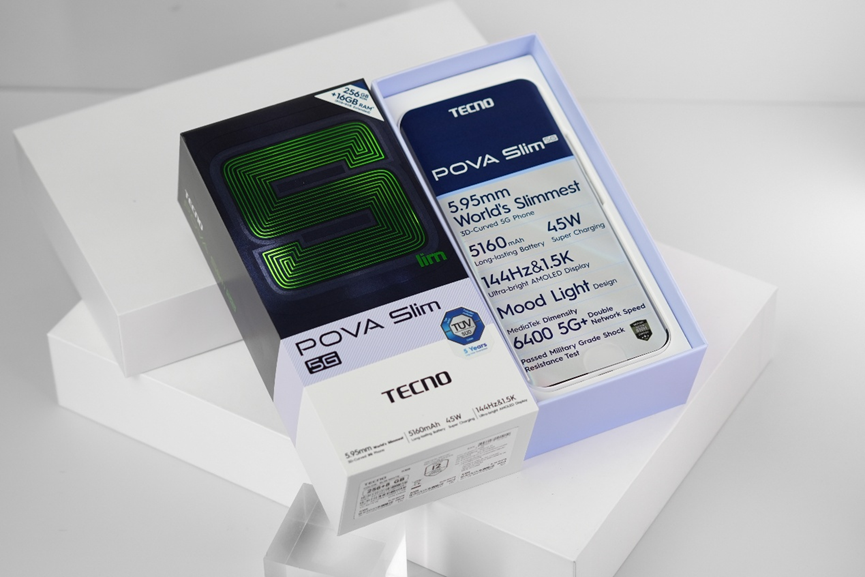
Right out of the box, as noted on the protective film, the Slim measures just 5.95mm thick—making it the world’s slimmest 3D-curved smartphone.
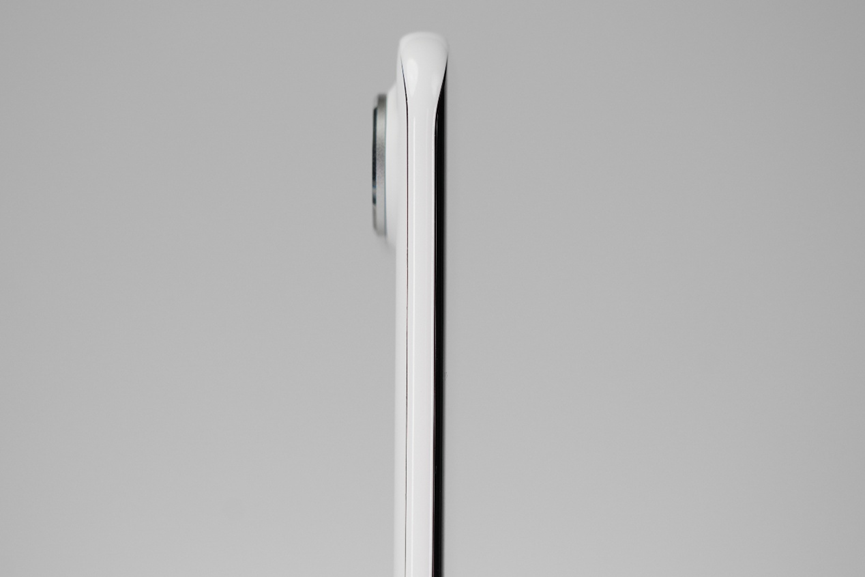
While some past models like the vivo X5Max or current iPhone Air have thinner specs, the Slim’s curved edges taper so narrowly that it feels even slimmer in hand. Combined with a weight of just 156g, holding the Slim is like gripping a credit card.
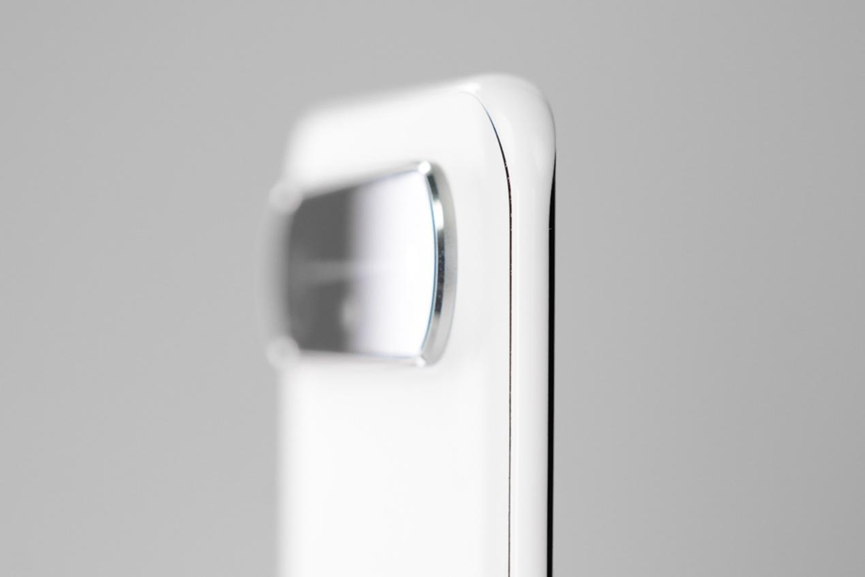
The frame is fully rounded, so despite its thinness, it never feels sharp—more like a smooth, ultra‑thin pebble.
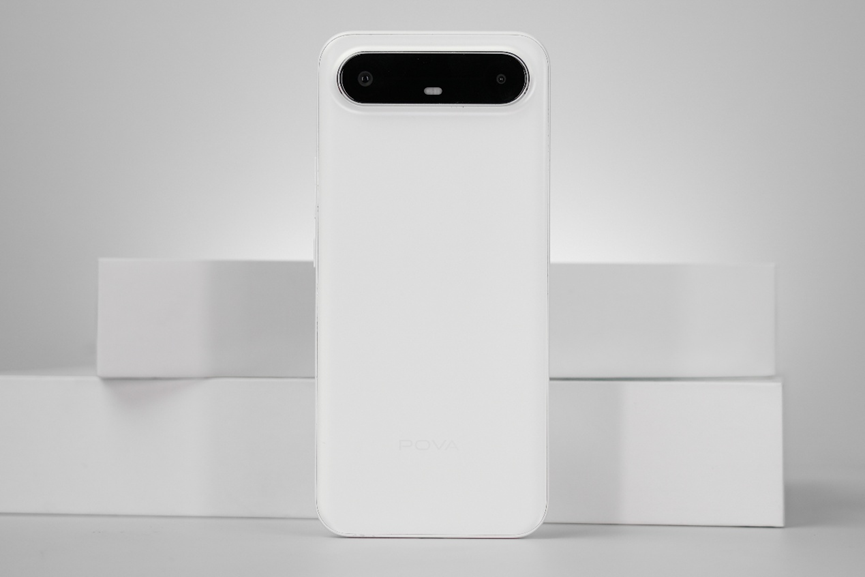
On the back, a horizontal camera module might remind some of the iPhone Air, though TECNO actually showcased the Slim earlier at MWC 2025.
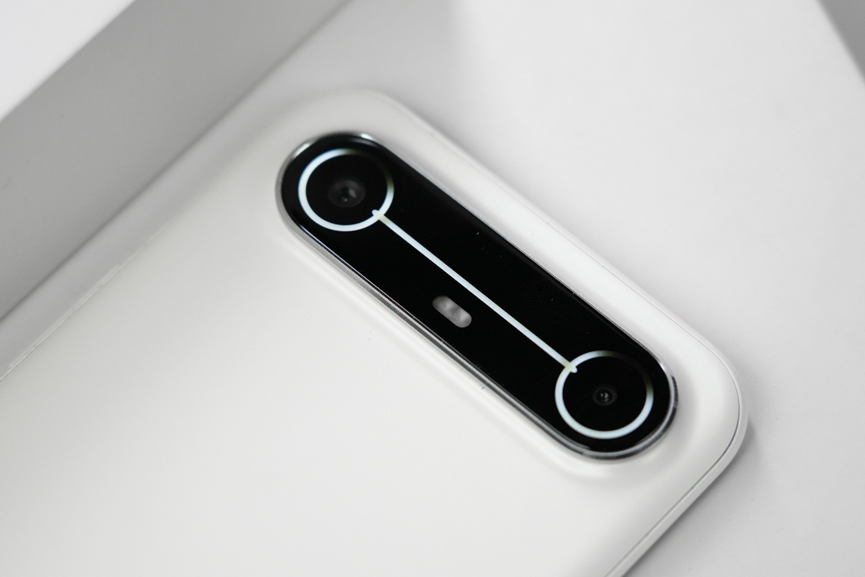
The module includes a “Mood Light” design that illuminates during charging, incoming calls, notifications, or voice‑assistant use—reminiscent of the classic robot WALL‑E.

The display is a 6.78‑inch AMOLED with 1224 × 2720 resolution, up to 144Hz refresh rate, protected by Corning Gorilla Glass 7i.
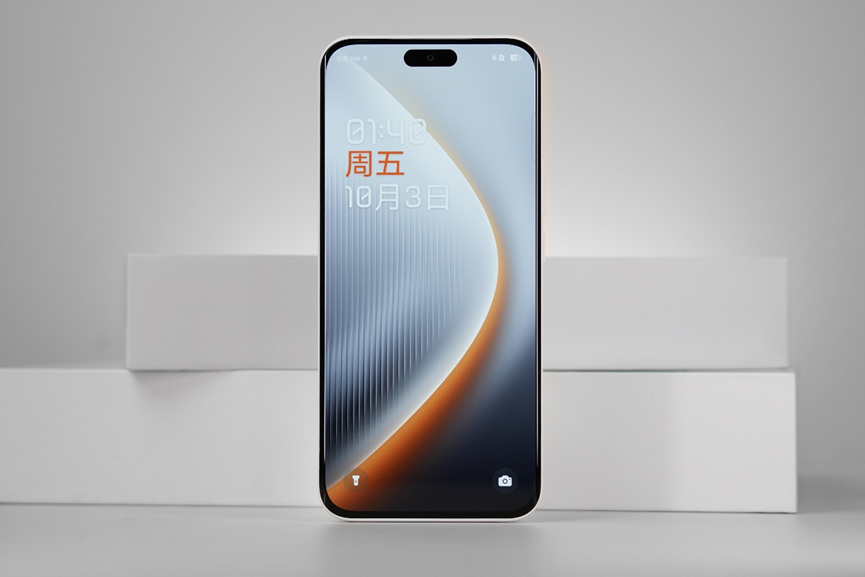
A Dynamic Port (pill‑shaped cutout) at the top enables iPhone‑like Dynamic Island effects, displaying notifications and quick actions.
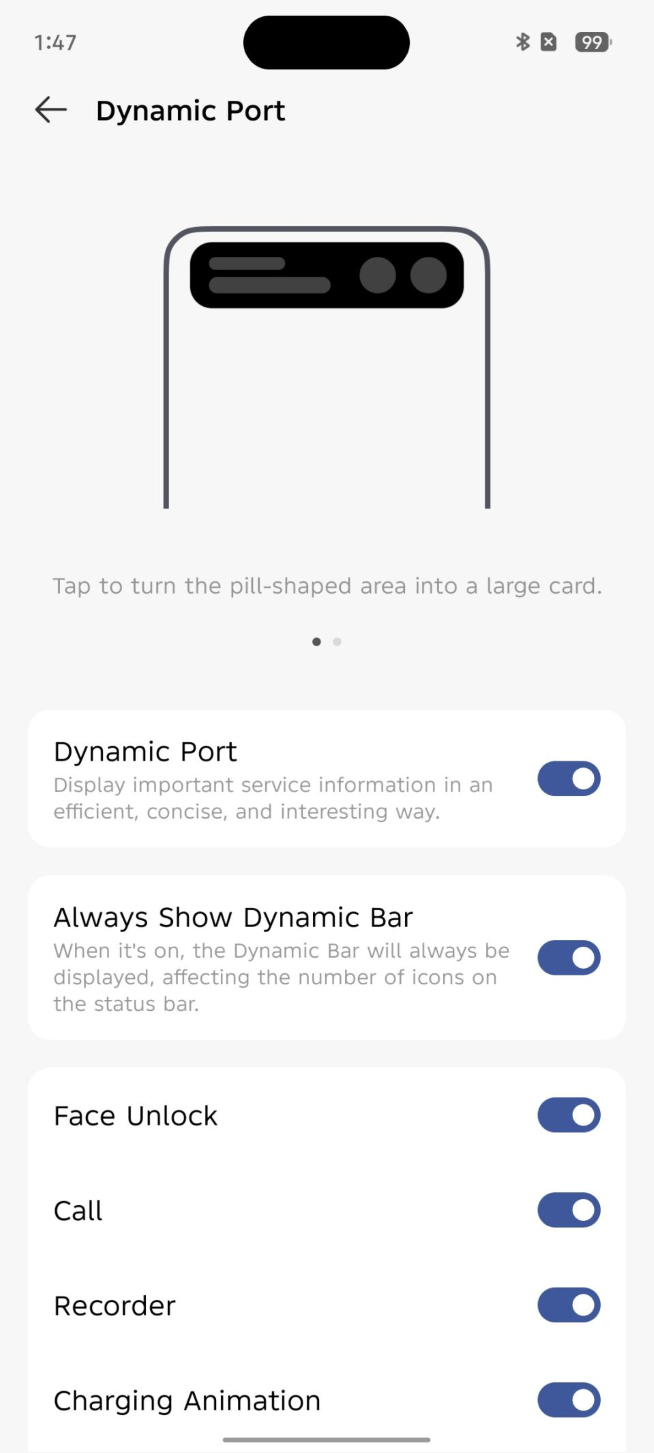
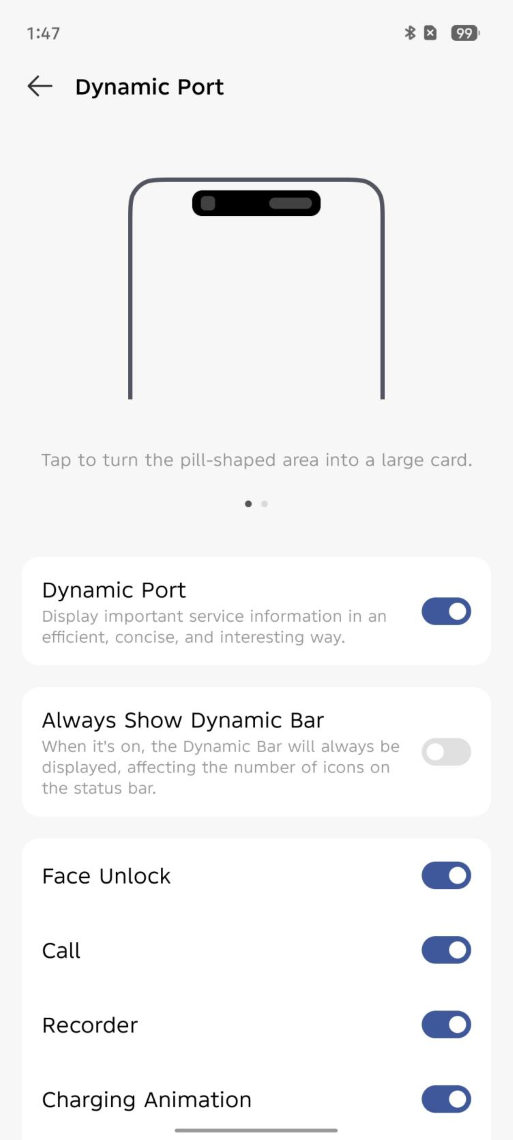
If you prefer a cleaner look, you can switch off the Dynamic Island, reverting to a simple punch‑hole for the front camera. Notably, screenshots can also exclude the Dynamic Island UI when the feature is off.
With such a slim and light phone, battery life is a natural concern—but TECNO managed to fit a 5160mAh battery inside, along with 45W fast charging. Surprisingly, endurance is quite strong.
Under controlled testing (25°C ±1°C, Wi‑Fi, 300‑nits brightness, high‑performance mode), one hour of local 4K playback used 11% battery; one hour of X (Twitter) browsing used 7%; one hour of TikTok 8%; YouTube 9%; Instagram 8%; and Mobile Legends: Bang Bang 14%. After six hours, 43% battery remained—excellent stamina for a full day of typical use.
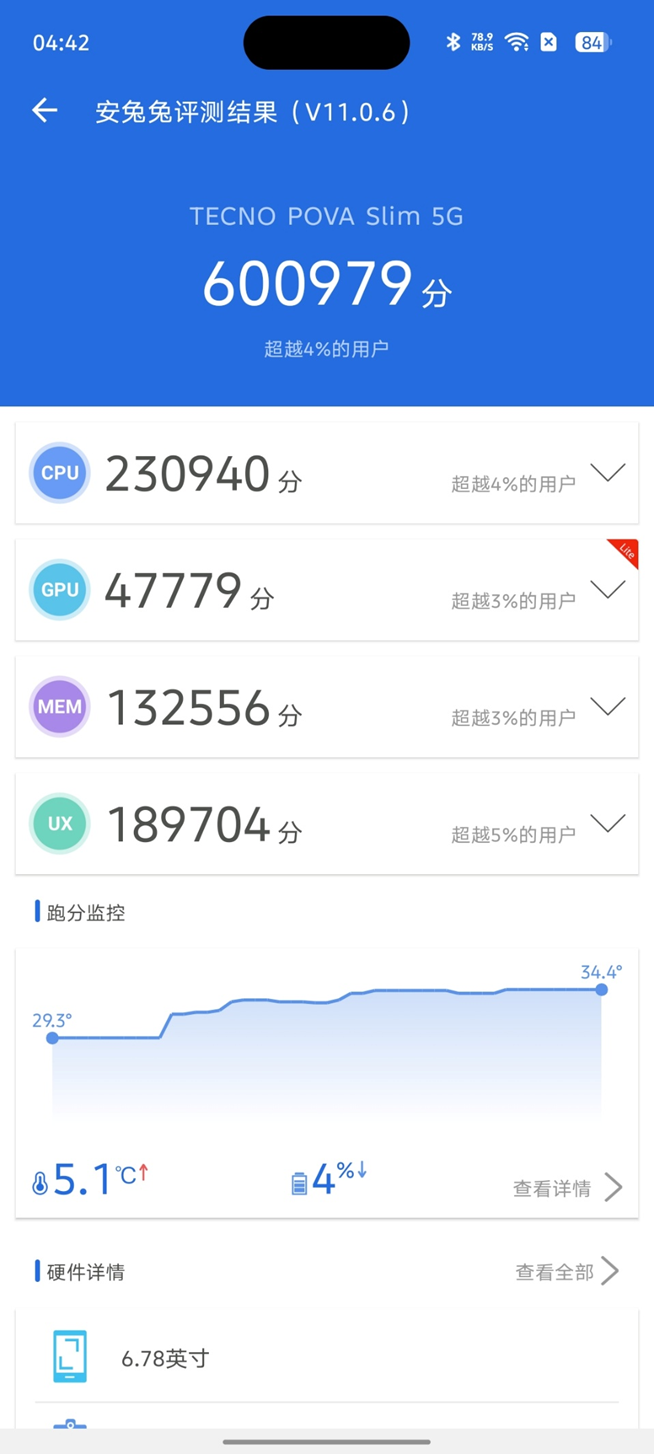
Inside, our POVA Slim runs on a MediaTek Dimensity 6400 SoC (5G). The CPU includes 2×2.5GHz Cortex‑A76 and 6×2.0GHz Cortex‑A55 cores, with a Mali‑G57 MC2 GPU.
AnTuTu V11 scored 600,979 (CPU 230,940, GPU 47,779, MEM 132,556, UX 189,704). This indicates smooth daily performance for most apps, though gaming and GPU‑intensive tasks will be limited.
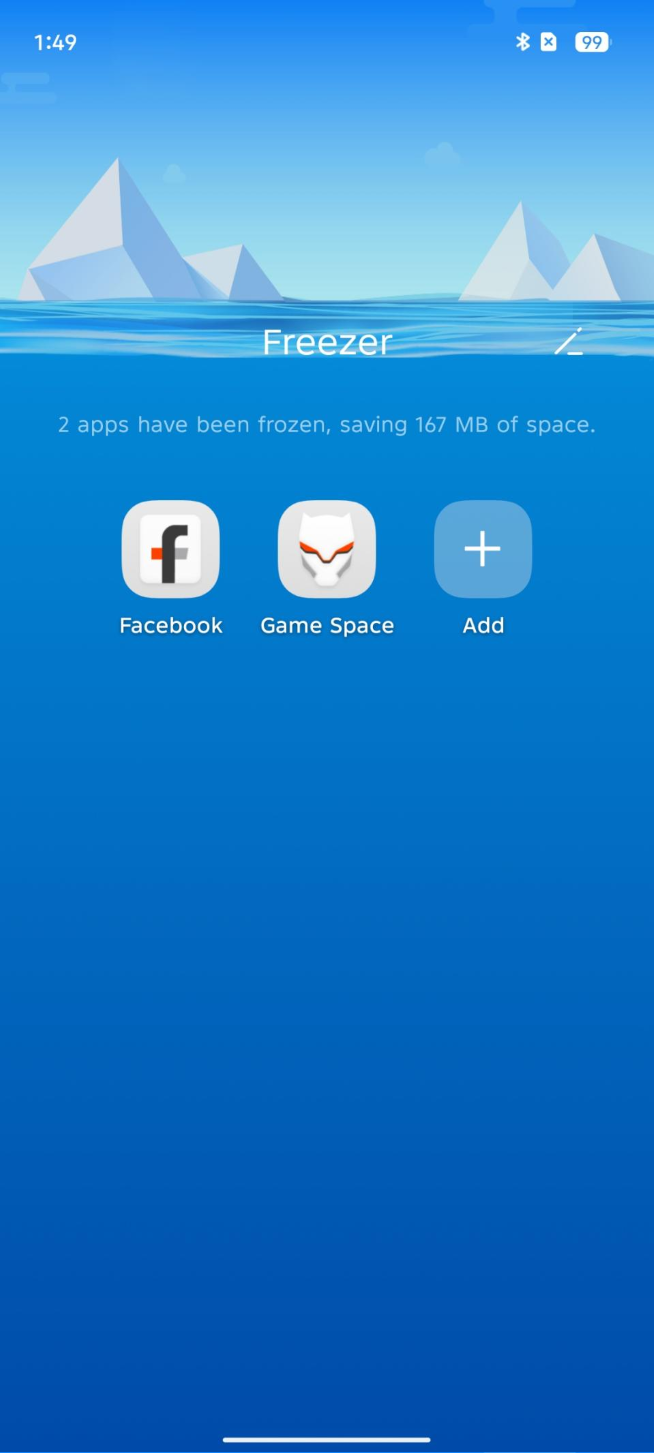
To tackle bloatware and background drain common in mid‑range phones, TECNO includes a Freezer that freezes infrequently used apps, freeing up memory and improving battery life.
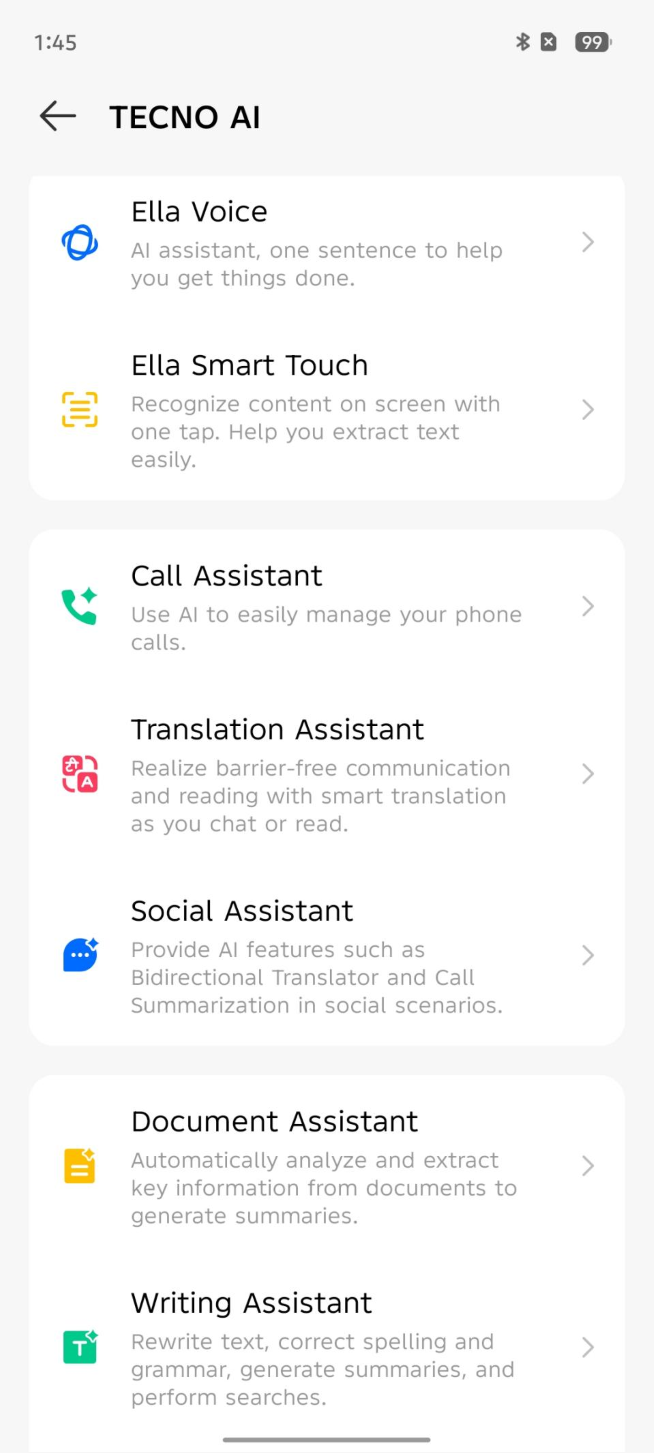
TECNO Slim also supports TECNO AI, offering Ella Voice, Call Assistant, Social Assistant, Document Assistant, Writing Assistant, and more.
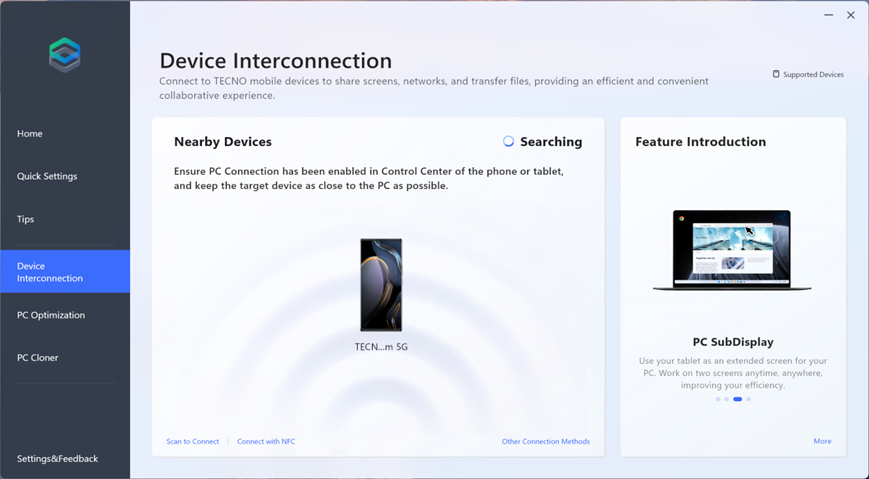
Individually, the MEGABOOK S14 and Slim are impressive—but together, they showcase the future of mobile work, delivering a combined experience greater than the sum of its parts.Cross‑device connectivity isn’t new, and many brands offer similar features. TECNO’s implementation, however, is refreshingly simple—just a quick software link, no complex setup.
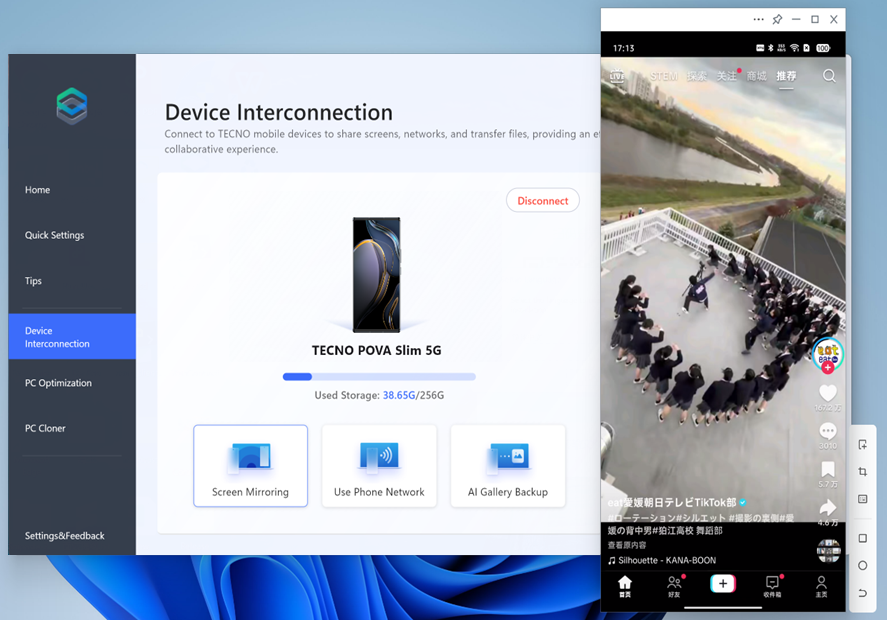
Once connected, the phone screen mirrors on the laptop. You can control the phone from the computer, and all notifications—apps, SMS, calls—appear and can be handled on the PC.
What sets TECNO apart is the depth of integration.
First, there’s one‑click internet sharing: once connected, you can instantly share the phone’s mobile data with the laptop. For frequent travelers, this is a genuine time‑saver.
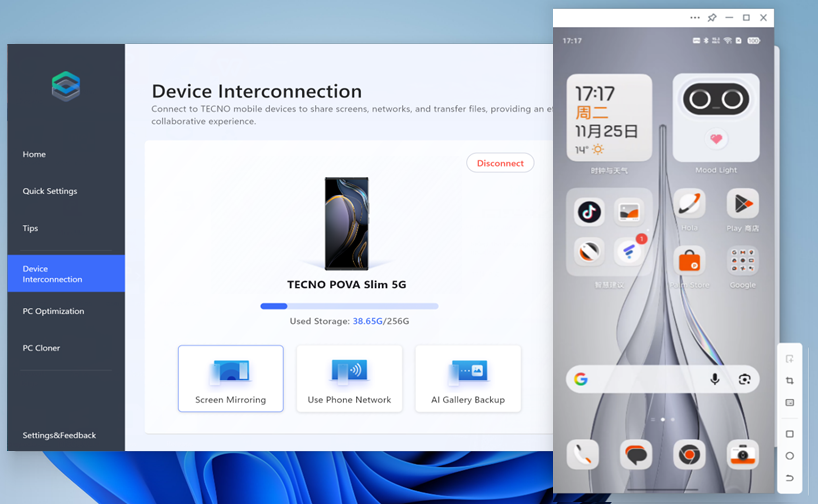
Next, file transfer is beautifully simple: drag files from the computer onto the phone mirror to send them to the phone, or drag from the phone mirror to the desktop to fetch files—intuitive and seamless.
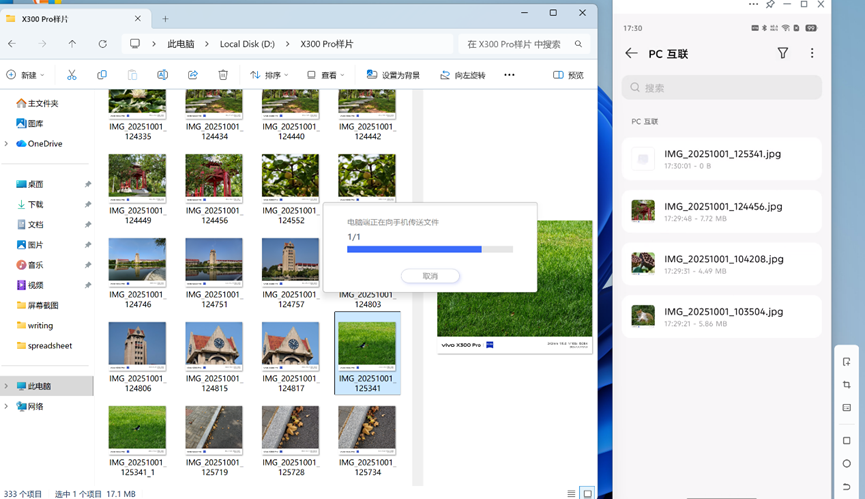
Clipboard sharing is also included: copy on one device, paste on the other.
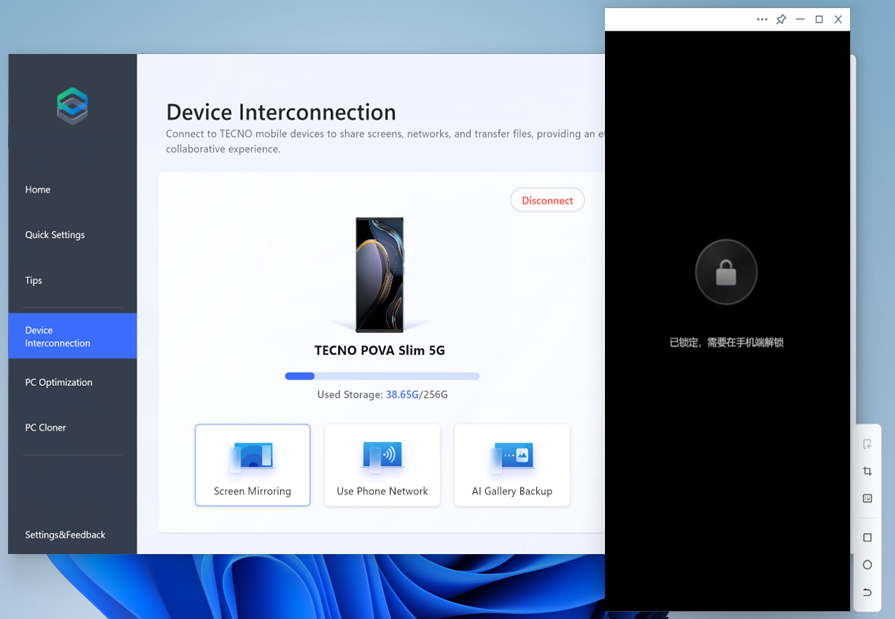
TECNO also polished many small but meaningful details. For example, most phone‑to‑PC mirroring keeps the phone screen on, draining battery and posing privacy risks. The phone screen can turn off while mirroring continues on the laptop—so you truly don’t need to touch the phone after connecting.
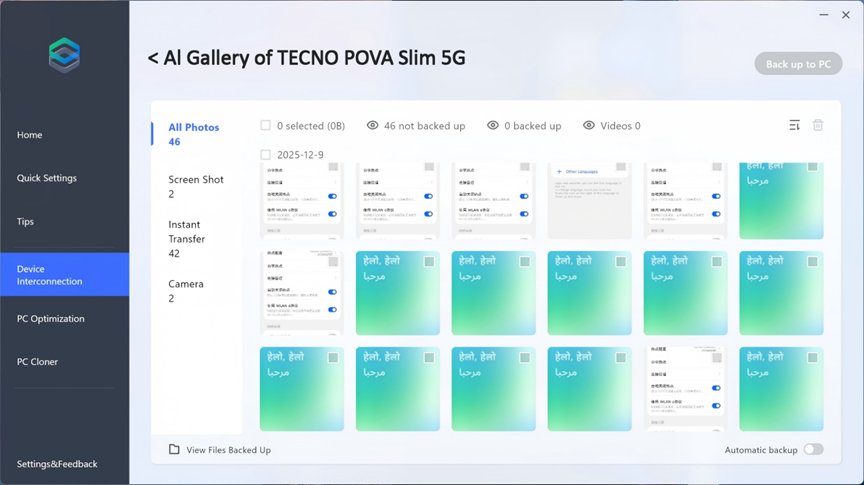
Phone Gallery Backup also offers a seamless way to back up photos and videos from your phone’s gallery to your PC for free. This not only frees up valuable phone storage, but also delivers fast transfer speeds, ensures your data stays secure locally, and supports hassle-free automatic backups either automatically or manually.
Quick action buttons beside the phone mirror handle gestures like Back, Home, or Swipe that are tricky with a mouse. Some laptop touchpad gestures also map to phone actions, such as two finger swipe down to scroll on the phone.
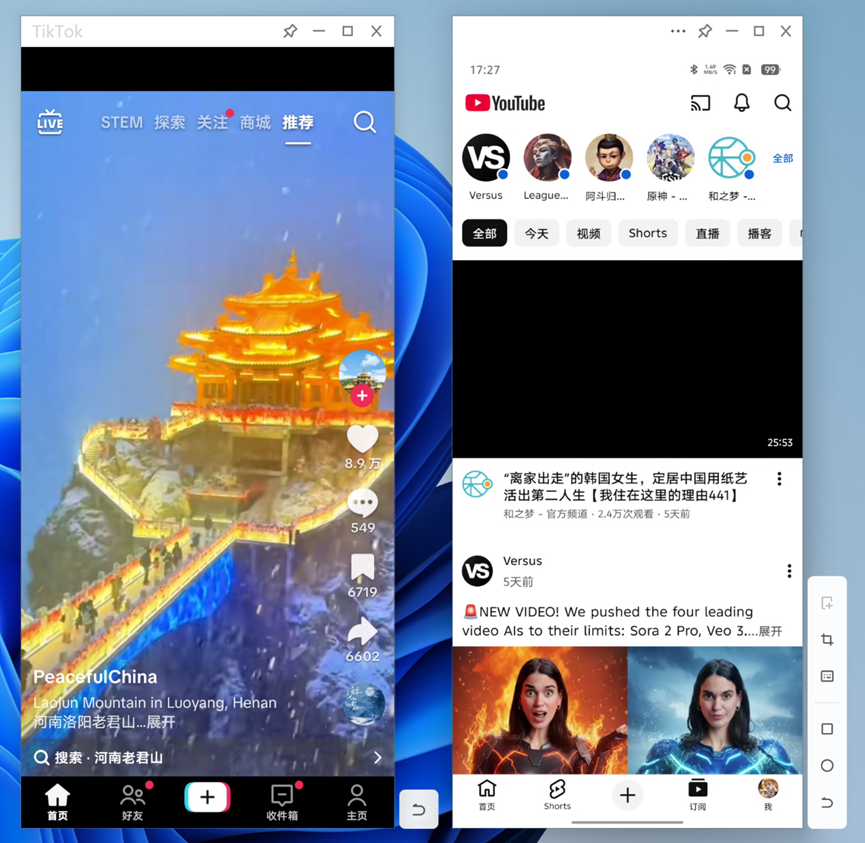
You can even run two separate phone apps simultaneously on the laptop, each in its own window—like having TikTok in one and YouTube in another. Currently limited to two apps, this feature hints at a future where your phone could act as a true pocket‑sized computer.
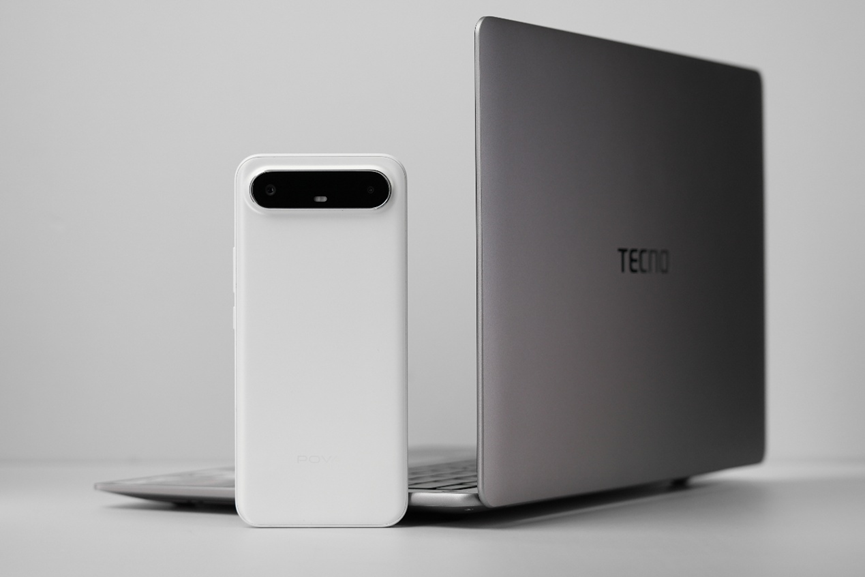
As an editor often on the move, pulling out a laptop for quick tasks has become routine—but the TECNO MEGABOOK S14 + Slim duo stands out.
The MEGABOOK S14 is compelling simply for how light it is. The Slim is uniquely designed and pleasing to hold.
More impressively, despite its slim profile, the MEGABOOK S14 performs at a solid mid‑to‑high level, with configurations up to an Ultra 9 185H. Battery life lasts over 3 hours under moderate use on high‑performance mode. The Slim, while not a powerhouse, stays smooth for daily tasks and delivers outstanding battery—still at 43% after six hours of mixed heavy use.
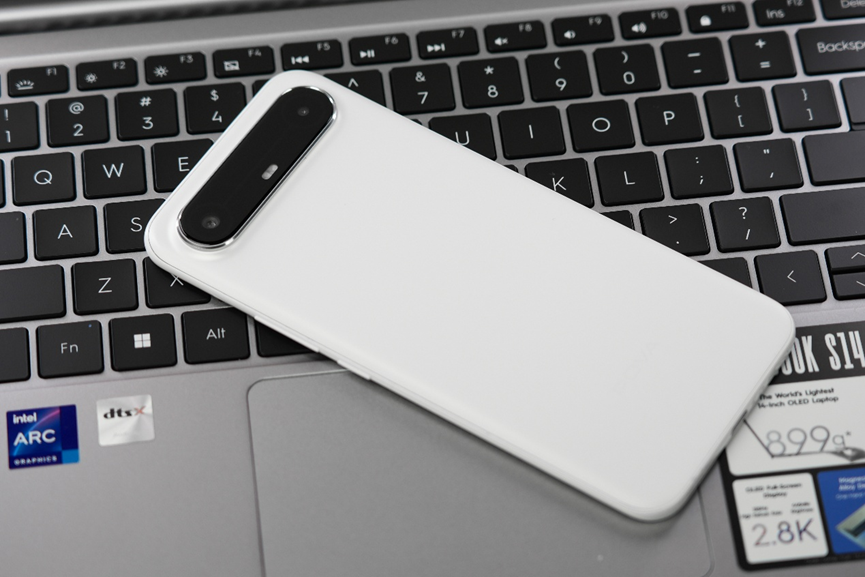
Above all, it’s their interconnected capabilities that create a 1+1>2 effect. Like a Swiss Army knife, they cover a wide range of scenarios. TECNO’s thoughtful integration offers a complete, practical solution for professionals who need to work on the go. In other words, the MEGABOOK S14 + TECNO Slim isn’t just a portable toolkit—it’s an ecosystem designed to make work simpler and creativity more efficient.